
Download Print Checks – Free Check Printing Software for Windows
Print Checks is a lightweight, free software tool designed for Windows users who need to print checks quickly and securely. Developed by WWW.JUSTAPPS.COM, this app falls under the Printer & Fax category and offers a straightforward solution for individuals and small businesses managing personal or business finances. With a simple interface and no hidden costs, Print Checks allows users to generate and print checks directly from their desktops.
The software is compatible with Windows 11 and above, ensuring modern system support. Although it hasn’t been tested by Softonic yet, user feedback and the clean design suggest a reliable experience. The current version is 1.0, available exclusively in English.
Whether you're paying a vendor, managing household expenses, or running a micro-business, Print Checks provides a no-frills, secure way to handle check printing without the need for expensive accounting software.
Simple & Secure Check Printing for Everyday Use
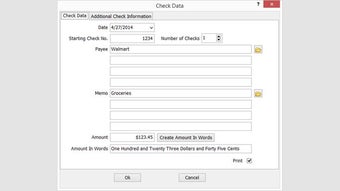
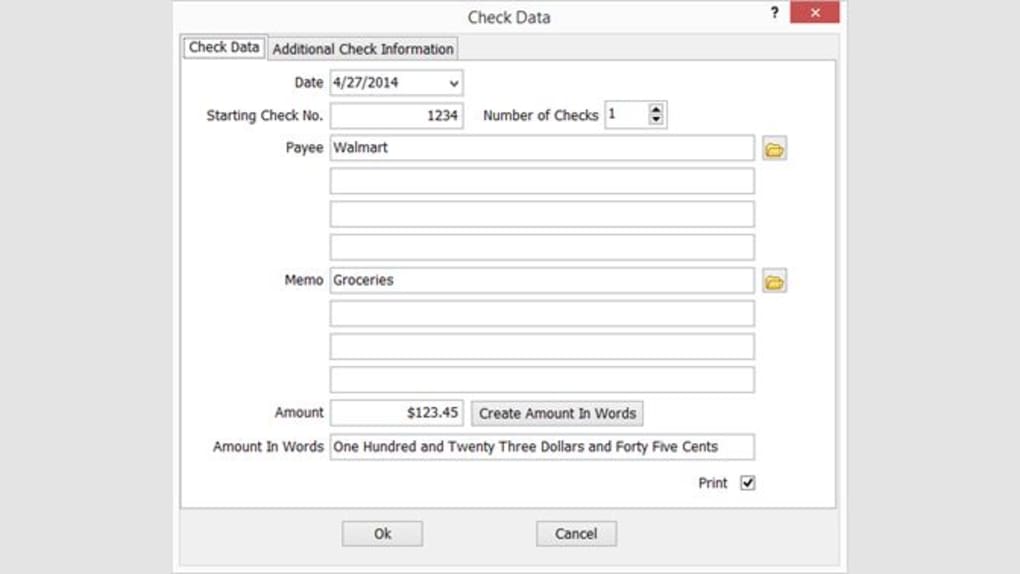
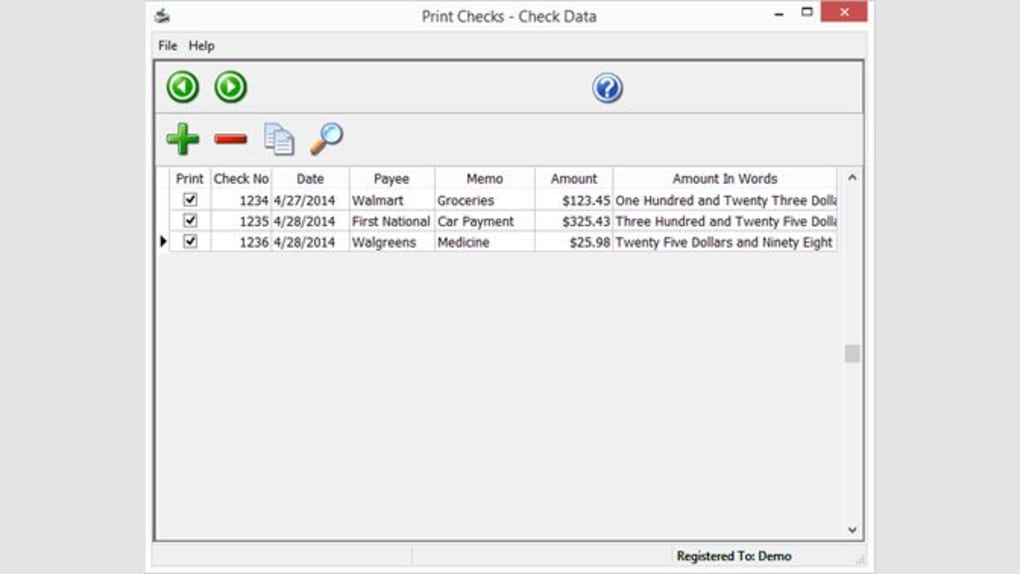
Print Checks streamlines the process of generating and printing checks, making it ideal for users who prefer physical payment methods over digital transfers. The software is designed with simplicity in mind—no complicated setup or technical knowledge required. After downloading the free app, users can input essential details such as payee name, check amount, date, and memo fields. The interface is clean and intuitive, minimizing the risk of errors during data entry. One of the standout features is the built-in security layer that prevents unauthorized access to sensitive financial data. Since the program runs locally on your device, your check information never leaves your system, enhancing privacy and reducing the risk of data breaches. This is particularly important for small business owners or freelancers handling multiple payments. The software also supports standard check formats used by most U.S. banks, ensuring compatibility with your existing check stock. Whether you're printing a single check or a batch of payments, Print Checks delivers fast, accurate results. It’s also a great alternative to more complex cheque-writing software that comes with steep learning curves and recurring fees. With regular updates planned by the developers, users can expect ongoing improvements in performance and security. The free nature of the software means you can use it indefinitely without subscriptions or hidden charges, making it a smart choice for budget-conscious individuals and startups.Key Features That Make Print Checks a Reliable Tool
- Free to Download and Use – No trial periods, no paywalls. The software is completely free with no limitations.
- Supports Windows 11 and Above – Ensures compatibility with modern operating systems and security standards.
- Simple, Intuitive Interface – Designed for users of all skill levels, including beginners.
- Secure Local Processing – All check data remains on your device, enhancing privacy and data protection.
- Standard Check Format Support – Works with most standard check stock used in the U.S.
- Batch Printing Capability – Print multiple checks in one session for efficiency.
- Easy Data Entry – Pre-filled fields and auto-formatting reduce input errors.
- English-Only Interface – Streamlined for users who prefer English.
How to Install and Use Print Checks on Your Windows PC
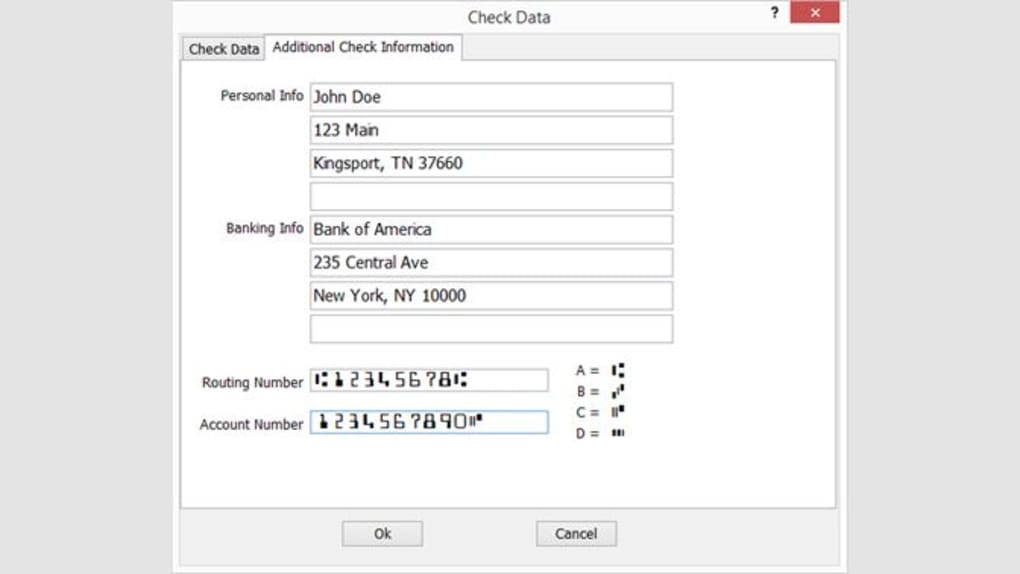
Getting started with Print Checks is quick and hassle-free. First, visit the official website WWW.JUSTAPPS.COM and navigate to the download section. Click the download button to get the installer file—typically a small executable (.exe) file. Once downloaded, run the installer and follow the on-screen prompts. The installation process takes less than a minute and doesn’t require administrative privileges in most cases. After installation, launch the app from your Start menu or desktop shortcut. Upon first use, you’ll be prompted to set up your check preferences, such as choosing the check layout and setting default bank information. The software automatically detects your printer, so no manual configuration is needed. To create a new check, simply click “New Check,” enter the payee name, amount, date, and any additional notes. The app will format the check automatically, including the MICR line at the bottom (magnetic ink character recognition), which is crucial for bank processing. Preview the check before printing to ensure accuracy. Once satisfied, click “Print” and place your check stock in the printer tray. The software handles the rest, ensuring proper alignment and formatting. For frequent users, the app allows saving templates and recurring payments, saving time on future entries. Updates are delivered automatically, ensuring you always have the latest version with bug fixes and security patches. Since the software is lightweight, it runs smoothly even on older Windows machines with limited RAM.Compatibility & System Requirements
Print Checks is specifically designed for users running Windows 11 or later versions. This ensures optimal performance, security, and compatibility with modern printer drivers and system APIs. The software does not support older Windows versions like Windows 7 or 8, which may lack the necessary security updates and system architecture. It’s important to note that while the app is free, it requires a standard inkjet or laser printer capable of handling check stock. The software supports both single-sheet and continuous check forms, making it suitable for home offices and small businesses alike. Print Checks does not require an internet connection to function, which is a major plus for users concerned about privacy. All data processing happens locally, meaning no cloud storage or external servers are involved. This makes it ideal for users who handle sensitive financial information and prefer offline solutions. The app is lightweight, consuming minimal system resources—typically under 50 MB of RAM during operation. It’s compatible with most mainstream printers from HP, Canon, Epson, and Brother, provided they support standard check paper sizes (typically 3.75” x 2.75”). Users should ensure their printer has sufficient ink or toner and that the check stock is properly loaded to avoid misfeeds or smudges. While the software is currently only available in English, the interface is clear and self-explanatory, minimizing language barriers for international users.Pros and Cons: Is Print Checks Worth Your Time?
- Pros:
- Completely free with no hidden fees or trials
- Lightweight and fast, runs smoothly on older systems
- Secure local processing with no data uploads
- Simple interface perfect for beginners
- Supports standard U.S. check formats
- Batch printing and template saving for efficiency
- Regular updates and developer support
- Cons:
- Only available for Windows (no Mac, Android, or iOS versions)
- English-only interface limits non-English speakers
- No cloud backup or sync across devices
- Basic feature set—lacks advanced accounting integrations
- Not tested by Softonic yet, so user feedback is limited
Frequently Asked Questions (FAQ)
Final Verdict: A Solid Free Option for Check Printing
Print Checks stands out as a reliable, secure, and completely free solution for anyone needing to print checks on a Windows PC. While it lacks advanced features like cloud sync or multi-platform support, its simplicity, speed, and strong privacy focus make it a top choice for individuals and small businesses. The software is easy to install, lightweight, and efficient—perfect for users who want a no-nonsense tool without the complexity of full accounting software. If you’re looking for a trustworthy, free check printing app for Windows 11 or above, Print Checks is definitely worth downloading. Try it today and streamline your payment process with confidence.Download Print Checks now and start printing secure, accurate checks—no cost, no hassle.







